CachyOS: Taking Linux Performance to the Next Level
Discover CachyOS, an Arch Linux-based distribution focused on speed, optimized kernels, and modern hardware support. A technical analysis of the OS that promises (and delivers) extreme performance.
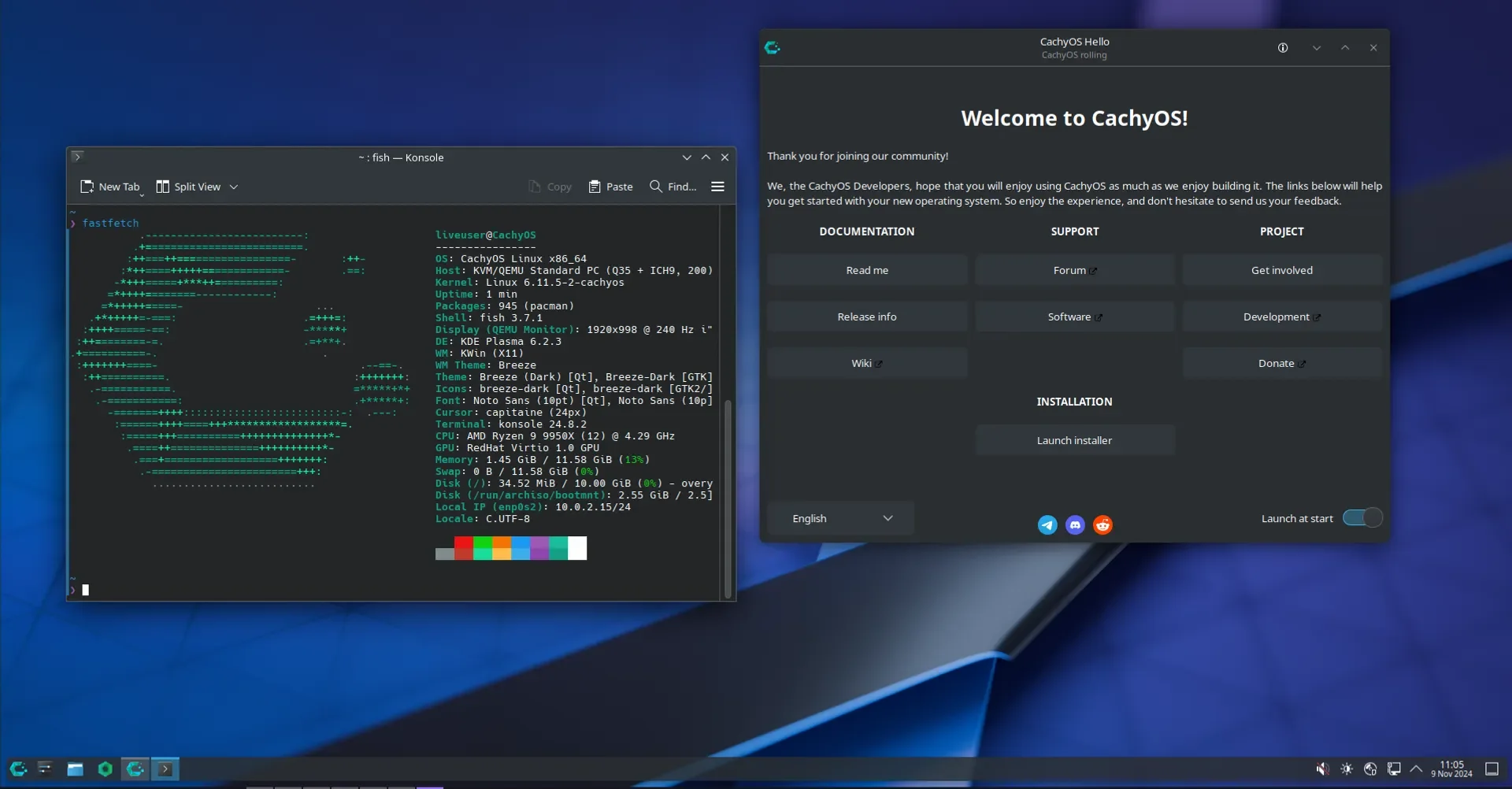
Recently, I decided to explore new frontiers in the Linux ecosystem and, on the recommendation of my friend Otavio Rossoni, I came across a distribution that caught my attention not only for its looks but mainly for its promise of extreme performance: CachyOS.
If you, like me, are looking to squeeze every drop of performance from your hardware, whether for development, gaming, or daily use, this post is for you.
Context for Beginners
💡 If you already know Linux and Arch, you can skip directly to the "What is CachyOS?" section.
What is a Linux Distribution?
Think of Linux as a car's "engine." A distribution (or "distro") is the complete car: engine + body + accessories. Different distros take this same engine (Linux) and build different cars — some focused on ease of use (Ubuntu), others on being lightweight (Linux Mint), and others on maximum performance (like CachyOS).
What is Arch Linux?
Arch Linux is a distribution known for being "do it yourself." It gives you total control but requires technical knowledge to install and configure. It's like building a PC from scratch: you choose every component.
CachyOS takes this powerful Arch base and adds:
- An easy installer (no need to type commands)
- Ready-made optimizations for your hardware
- Configurations that "just work"
What is Rolling Release?
Unlike Windows which has versions (Windows 10, 11, 12...), CachyOS uses the rolling release model — you install once and receive continuous updates forever. You never need to "format to upgrade."
What is CachyOS?
CachyOS is a Linux distribution that takes the solid base of Arch Linux and adds aggressive performance optimizations. The difference is "under the hood."
The project's main focus is speed and stability, achieved through optimizations in the kernel (the system's core) and software packages.
Key Technical Features
What makes CachyOS so fast? Here are the details:
1. Optimized Kernels
The kernel is the core of the operating system — it bridges your programs and the hardware (CPU, memory, disk). CachyOS offers custom kernels with different schedulers (CPU task schedulers):
| Kernel | Scheduler | Ideal for |
|---|---|---|
linux-cachyos | EEVDF | General use (default) |
linux-cachyos-bore | BORE | Desktop and Gaming |
linux-cachyos-bmq | BMQ | Varied workloads |
linux-cachyos-rt-bore | BORE + RT | Professional audio |
linux-cachyos-lts | EEVDF | Maximum stability |
In simple terms: the scheduler decides which program uses the CPU first. BORE is especially good for gaming because it prioritizes fast system response. You can easily switch between kernels through the CachyOS Kernel Manager.
2. Packages Optimized for Your CPU
This is the most impressive feature. CachyOS recompiles Arch Linux programs with specific instructions for modern processors.
Analogy: Imagine buying "one size fits all" clothes — they fit, but not perfectly. CachyOS makes "tailored clothes" for your CPU.
It automatically detects your architecture:
| Architecture | Compatible CPUs | Benefit |
|---|---|---|
| x86-64 | All (fallback) | Compatibility |
| x86-64-v3 | Intel Haswell+ / AMD Ryzen 1+ | ~10-15% faster |
| x86-64-v4 | Intel Ice Lake+ / AMD Zen 4+ | ~15-20% faster |
| znver4 | AMD Zen 4 (Ryzen 7000) | Maximum AMD optimization |
Technical terms explained:
- LTO (Link Time Optimization): optimization when "assembling" the final program
- PGO (Profile-Guided Optimization): the program is compiled based on how people actually use it
- BOLT: additional optimization from Facebook/Meta for even faster code
3. Modern File System
The installer configures BTRFS by default — a modern file system with:
- Automatic compression: saves disk space
- Snapshots: "photos" of the system that allow you to roll back if something goes wrong
- Better performance on SSDs and NVMe
4. First-Class Gaming 🎮
CachyOS takes gaming seriously:
- ✅ NVIDIA drivers pre-configured (proprietary and open-source)
- ✅ Patches for Steam Deck and ROG Ally
- ✅ HDR enabled by default
- ✅ 1000Hz timer — lower input latency (you press the button, the game responds faster)
- ✅ Valve patches for better game compatibility
Who is CachyOS for?
| Profile | Why use CachyOS? |
|---|---|
| 🎮 Gamers | Latency-optimized kernels, ready NVIDIA drivers, gaming patches |
| 💻 Developers | Faster compilation, optimized containers, rolling release |
| 🔧 Enthusiasts | Uses 100% of your modern hardware (Ryzen 7000, Intel 12th+) |
| 🎵 Audio Producers | RT kernel with ultra-low latency |
| 🐧 New to Linux | Easy installer + active community |
Installation: Easier Than You Think
Forget the "difficult Linux" reputation. CachyOS offers an intuitive graphical installer based on Calamares (the same used by "easy" distros like Manjaro).
Installation Options
- Online: Downloads the latest packages (recommended)
- Offline: Installs directly from the ISO (faster, but packages may be outdated)
Available Desktop Environments
CachyOS lets you choose the "look" of your system:
| Desktop | Style | Ideal for |
|---|---|---|
| KDE Plasma | Modern, customizable (looks like Windows 11) | Most users |
| GNOME | Minimalist, touch-friendly | Those who want simplicity |
| Hyprland | Tiling, smooth animations | Advanced users |
| XFCE | Lightweight, classic | Older PCs |
| COSMIC | New, from System76 | Those who want to experiment |
After installation, CachyOS Hello helps you configure drivers, tweaks, and applications.
Comparison: CachyOS vs Arch vs Ubuntu
| Aspect | Ubuntu | Arch Linux | CachyOS |
|---|---|---|---|
| Installation | Easy | Difficult (manual) | Easy (GUI) |
| Updates | Every 6 months | Continuous | Continuous |
| CPU Optimization | None | None | Maximum (v3/v4/Zen4) |
| Kernel | Generic | Generic | Multiple optimized |
| Gaming | OK | Good | Excellent |
| Ideal for | Beginners | Experts | Intermediate+ |
Getting Started: How to Try It
Want to experiment? Follow these steps:
1. Check Your Hardware
Find out if your CPU supports x86-64-v3 or higher:
# On Linux, run this command:
/lib/ld-linux-x86-64.so.2 --help | grep supported
2. Download the ISO
Go to cachyos.org/download and download the KDE version (recommended for beginners).
3. Create a Bootable USB Drive
Use Ventoy or balenaEtcher to write the ISO to the USB drive.
4. Test Without Installing (Live USB)
You can run CachyOS directly from the USB drive to test it. Nothing will be changed on your PC until you click "Install."
5. Install (Optional)
If you like it, use the graphical installer. Tip: install in dual-boot with Windows if you don't want to abandon Windows yet.
Useful Links
- 🌐 Official Website: cachyos.org
- ⬇️ Download: cachyos.org/download/
- 💻 GitHub: github.com/CachyOS/linux-cachyos
- 📖 Wiki: wiki.cachyos.org
- 💬 Forum: discuss.cachyos.org
Conclusion
I'm using CachyOS as my daily driver and the difference in system responsiveness is palpable. The combination of Arch's solid base (rolling release) with modern compilation optimizations and specific kernels creates an extremely satisfying user experience.
For technical users: you'll have access to cutting-edge optimizations (LTO, PGO, BOLT, custom schedulers) without having to compile anything manually.
For beginners: you'll have a fast and modern system with easy installation and an active community to help.
If you want to refresh your setup and give your PC an adrenaline boost, give CachyOS a try. Your hardware will thank you.
Have you ever used a performance-focused distro? Have questions about Linux? Let's talk!